A lightweight SSH terminal
Host profiles, synced across your machines
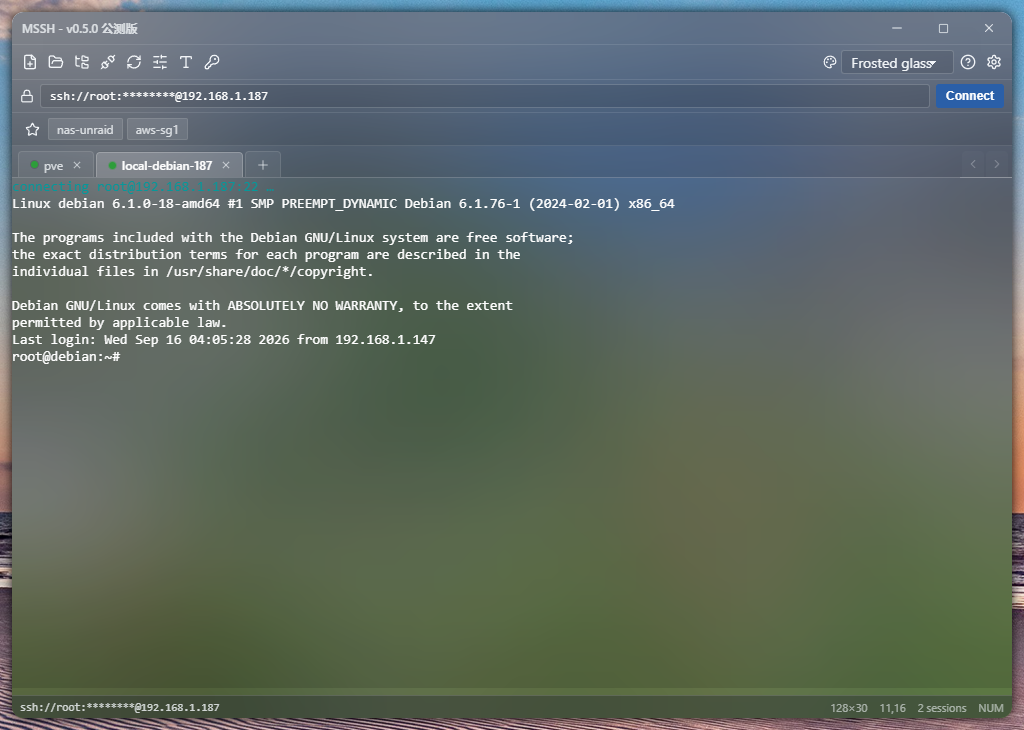
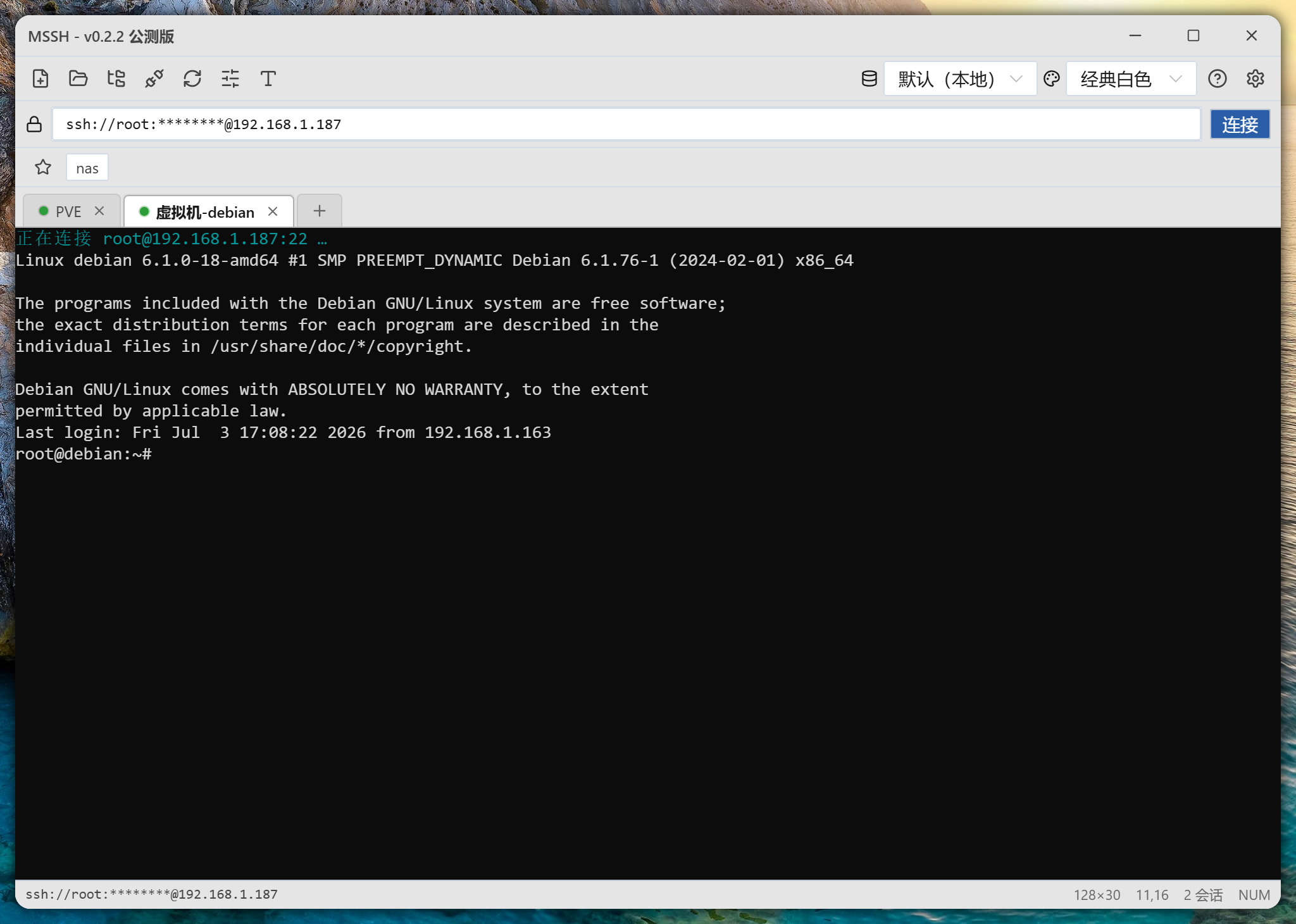
MSSH is a desktop SSH client for developers and ops folks—multi-session SSH, SFTP, and practical shortcuts with a familiar feel close to Xshell. The difference is Profiles: keep hosts fully local with no account required, or connect remote Profiles on your NAS or cloud so one change follows you everywhere.
What you get
Connect to servers, transfer files, and share one set of host profiles across devices—in a small desktop app.
Familiar SSH workflow
Tabs, split panes, history, and common commands—an everyday ops feel close to Xshell, almost zero learning curve.
Nested host folders
Organize by region, provider, or project. Multi-level folders keep hosts and connection details easy to scan.
Connect remote Profiles
Keep personal entries local; attach team or home-NAS Profiles remotely—the same SSH inventory opens on every machine.
Any install can host Profiles
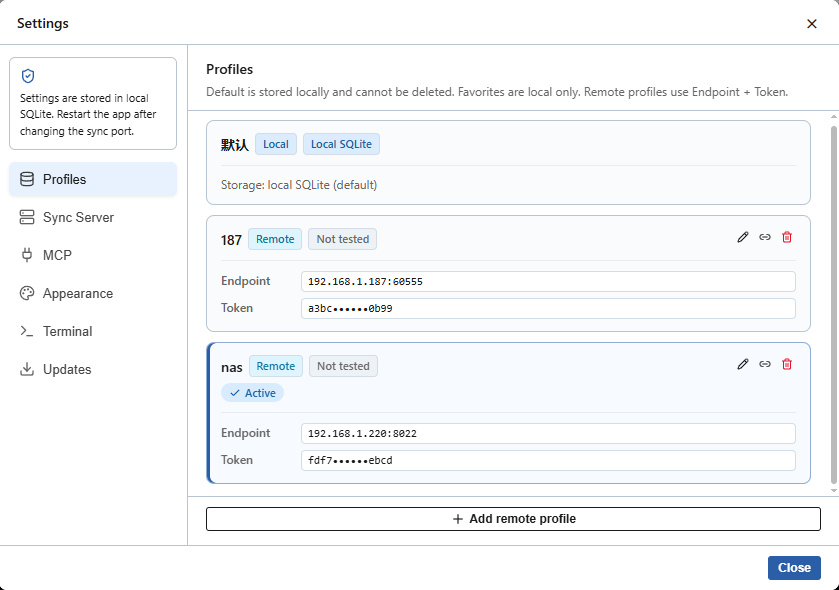
Turn on Profiles server mode (default port 60555), mint a Token, and let other devices join with IP, port, and Token.
SFTP & shortcuts
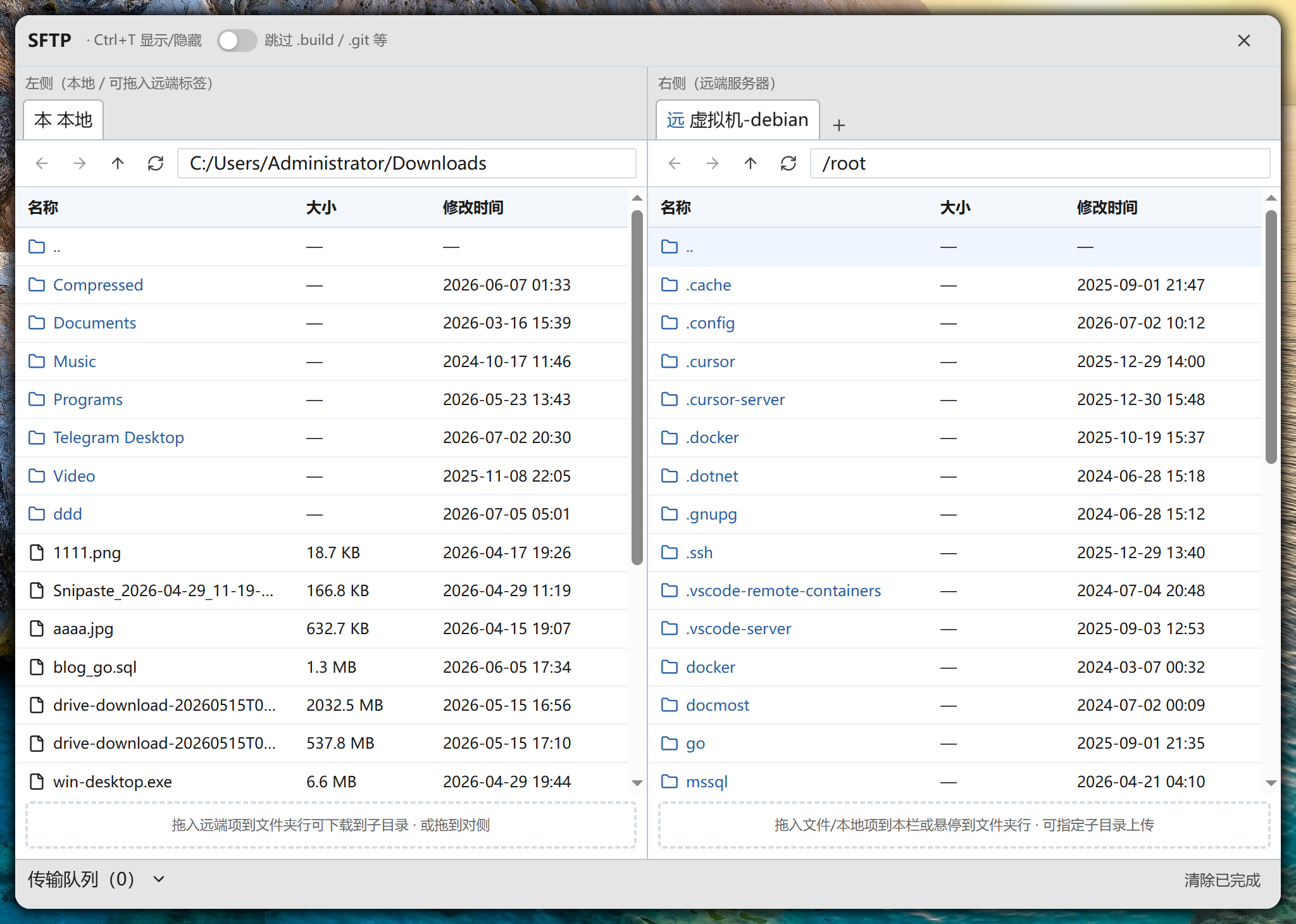
Built-in SFTP plus carefully designed shortcuts for connect, switch, and path copy—the actions you do all day.
Windows themes
Windows builds support translucency and acrylic glass, plus custom terminal backgrounds—useful and a bit nicer to look at.
Profiles & server mode
Every MSSH install can act as a client, or enable a Profiles server in Settings (default port 60555). Create a Token, then other devices connect with address + Token—read host profiles, or write updates when allowed. SSH sessions still go straight from your machine to the target; Profiles sync connection metadata, not your live traffic.
- 01Local ProfilesLocal Profiles are ready after install. Add hosts, keys, and groups—or stay fully offline with no remote sync.
- 02Enable server modeWhen you need sharing, start the Profiles server (default port 60555), create a Token, and choose read-only or read-write.
- 03Connect remotelyOn another machine, add remote Profiles with the server address, port 60555, and Token to sync host configs.
- 04SSH directlyProfiles load for local use; actual SSH / SFTP still goes from your computer straight to the target.
Security & privacy
Built for individuals and small teams: local by default, sync when you choose, no forced cloud account. Your host profiles stay under your control.
Configs stay on your machine
Hosts, keys, and groups can live entirely in local Profiles. Without a remote connection, nothing leaves your computer.
No forced login
No account signup or online activation. Open the app and use it—built for privacy-minded workflows.
Optional remote access with Token
Profiles sync is opt-in. Remote access needs IP, port, and Token, with read-only or read-write permissions.
SSH goes direct
Terminal and SFTP connect from your device to the server. Profiles sync connection info—they do not proxy your sessions.
NAS & cloud hosting
Desktop clients support macOS and Windows. For 24/7 Profiles sync on NAS or a cloud VM, use the official Docker image—run commands and updates live on Docker Hub.
Official Docker image
RecommendedRun a Profiles server on Synology, QNAP, Unraid, or any Linux host. Deployment commands and options are documented on Docker Hub.
Open Docker HubBuilt for
One config, many devices
Mac at home, Windows at work, a travel laptop—each runs MSSH against the same cloud or NAS Profiles. Change once, use everywhere.
Shared team inventory
Ops hosts Profiles on NAS or an internal box with read-only or read-write Tokens. New teammates join and get the host list immediately.
Home vs work separation
Local Profiles for HomeLab, remote Profiles for company staging. Switch Profiles to switch context—keys and groups stay in their place.
Get MSSH
Free to use · ~16 MB single binary, ~5 MB as 7z. Keep it light on your desktop—reliable locally, sync Profiles when you need it, and manage every SSH host in one place.